
Boundary Extension – when your memory ‘zooms out’ beyond what you actually saw
Do you look at a photo and later recall seeing more details than were actually there? That’s Boundary Extension – the tendency to remember the background of an image as more expansive than it really was.
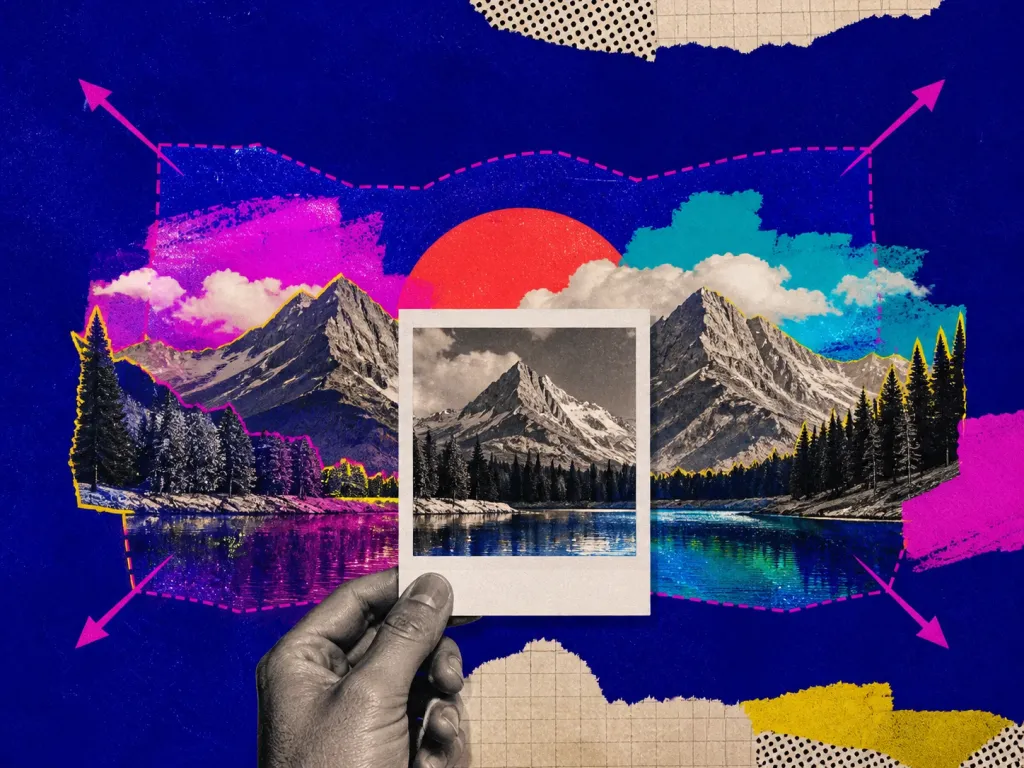
Examples and situations
- Perceiving photographs – you recall a full landscape in a photo, even though only a small section was framed.
- Eyewitness testimony – people insist they saw the whole scene, even if their field of view was limited.
- Past memories – your brain ‘fills in the gaps,’ making you believe you saw more than you actually did.
Questions to check
- Trust facts, not feelings – your memory isn’t always accurate.
- Double-check images – compare what you remember with the actual photo.
- Remember that your brain auto-fills details – the more familiar a scene, the stronger the effect.
Long-form guide
The Edges We Invent: How Boundary Extension Makes Your Memory Zoom Out
Last winter, our teammate Lena swore the coffee mug was on the table when she left the room. “Right edge, near the window,” she said, waving her hand as if drawing a mental snapshot. We checked the security cam. The mug wasn’t there. It never was. There was a table, sure. There was a window. But the mug hovered only in a memory that had quietly “zoomed out”—adding space and detail beyond the actual scene. We laughed, then we argued, then we dug into the research—and found a cognitive quirk with heavy consequences.
On this page
What is Boundary Extension – when your memory ‘zooms out’ beyond what you actually saw and why it matters
Boundary Extension is the tendency to remember more of a scene than was actually visible—your memory adds the surroundings that “should” be there, extending beyond the edges of the original view (Intraub & Richardson, 1989). It’s not just cute or odd. It nudges decisions, affects eyewitness testimony, trips up designers and drivers, and even makes travelers pack for a hotel room they didn’t book. Look at a tight photo of a bicycle wheel. Wait a few seconds. Now sketch what you remember. Chances are you’ll include a little more of the frame than you saw—a hint of the next spoke, a slice of the tire that wasn’t visible. That’s Boundary Extension.
Your mind stores scenes with implied surroundings; When you recall the scene, your memory “un-crops” it—adding plausible space beyond the original edges; You feel confident, because your brain prefers coherent, continuous environments over hard cuts. At its core: We don’t just snapshot the world; we predict it. The visual system stitches a stable world from flickering glances. Boundaries feel artificial. Your brain smooths them out, adding expected context so your internal “world model” stays whole (Intraub, 2010); Schema pressure. Your expectations about rooms, streets, and landscapes push memory to complete the scene. A sink implies a counter. A counter implies a wall. Walls imply corners; Gist over detail. We store the gist first—“kitchen, warm light, left-side sink”—and plug in plausible edges later (Gottesman & Intraub, 2002).
Why it happens: Eyewitnesses can “remember” seeing beyond what a camera captured—leading to false clarity about where an object was, or how far away it stood; Designers might overestimate what users see on small screens, hiding crucial controls off-frame; Drivers can misjudge spacing in mirrors or cameras, imagining more road than exists; Photographers, surveyors, and medical staff risk missing hazards or organs at the edges of a field of view.
Why it matters: Boundary Extension doesn’t mean you’re careless. It’s part of how perception stays stable. But if you don’t account for it, you’ll fill in the world with confidence and be wrong with confidence.
The photographer’s surprise crop
Jaya biked home across a street she’d crossed a hundred times. In her memory, the curb cut—smooth ramp—sat just left of the mailbox. That’s where it “should” be. She angled her bike and hit hard concrete. She’d extended the sidewalk edge in her mind, shaping an accessible, continuous path that wasn’t there. Her knee took the invoice.
When Marco reviewed yesterday’s shoot, he felt shocked: the framed portrait chopped off the subject’s shoulders. In the moment, he’d felt the composition breathe. Reviewing the raw, he saw a tight crop. His mind had pushed the frame wider—imagining extra shoulder space—and lulled him into thinking the shot had room. A ruined hero image, a reshoot, a lesson: check the literal edges.
Whiteboard creep in meetings
Two coworkers argued over a dropped laptop. One swore the bag sat safely on the back table, “definitely away from the edge.” Security footage showed the strap hanging inches off, catching a passing shoulder. The witness had extended the boundary of the table in memory—wider, safer, flatter. Everyone apologized; nobody forgot.
Our product manager sketched a user flow in a cramped box: registration, onboarding, upsell. After break, the team returned and argued for ten minutes about a step that had never been drawn—the “confirm email” step seemed obviously there, just outside the scribble. The original picture had edges; the remembered “scene” did not. People argued with conviction about a step that existed only in imagination.
UX micro-example: hidden controls on mobile
A couple planned a kitchen from photos. Later, the installers called: “Where exactly is the gas line? The photo cuts off the corner.” The couple had mentally expanded the photo, assuming the line sat within a wider area than the image showed. They purchased appliances that did not fit. Boundary Extension hid in the difference between what the image offered and what their memory supplied.
A designer demos a screen on a big monitor. The tap target sits comfortably away from the edge. But on actual phones, a status bar and safe area squeeze the layout. Users miss the control, not because it’s small, but because the designer mentally extended the visible canvas—imagining more breathing room than the device has.
Even in the lab
Reverse cameras flatten distance. Drivers who rely on the camera sometimes assume they see slightly more road to the left and right than they do. They back out, expecting clearance that isn’t there, and clip a bumper. The camera is honest. The mind adds a margin. Researchers show participants tightly framed images of scenes—like a close-up of a chair edge or a fence slat. Later, participants remember and redraw the images with wider boundaries, as if the scene stretched further (Intraub & Richardson, 1989). It happens fast, without intent, and across ages—including in children and even in settings where participants are told to beware of bias (Intraub, 2010).
You can’t turn off Boundary Extension, but you can fence it. The trick: respect the frame. If a decision depends on what’s outside an image or view, treat that unknown as risk—not as “probably fine.”
Practices that work in the real world
When documenting spaces—home repairs, real estate, insurance—take a “safety ring” series: one tight shot, then two progressively wider shots of the same subject. Label them T1, W1, W2. On review, the wides catch the context your memory might invent later; For tools and parts, include a reference object (tape measure, coin, your hand). Scale anchors your memory. 1) Shoot the safety ring Before relying on a scene (packing, safety checks, handing off work), do a literal edge sweep: trace the boundaries with your eyes or finger. Say out loud what is and isn’t visible. Example: “Photo ends before the outlet. No outlet visible.” Sounds silly. Prevents pain.
2) Edge sweep In Figma or Sketch, draw high-contrast frame borders and name them like warnings: “ABOVE THIS LINE = NOT VISIBLE.” Keep them on during handoff; Test on the actual device, not just simulator. The simulator gifts you wishful margins. The device tells you what’s cut. 3) Frame guard in design When you make a decision from a cropped view—security footage, a photo, a chart—tag your note “Frame-limited.” It’s a small friction that reminds you to check what the frame excludes before you escalate or accuse.
4) Decision tag: “Frame-limited” What could be just outside the left/right/top/bottom that would change my decision?; Do I have a wider source?; If not, what is the smallest action I can take that’s safe under uncertainty?. 5) Ask the three outside questions Contractors use painter’s tape to mark the actual edges of a plan. Do the same when assessing furniture fit or camera placement: tape the floor to represent your frame. Walk it. Your body corrects mental “zoom outs.”.
6) Use the red tape rule on-site After meetings, redraw any diagram or scene from memory—but explicitly draw a border and label what you didn’t see. Example: “Door continues here? Unknown.” It builds the habit of holding unknowns as unknowns. 7) Train recall with boundary sketches If you’re summarizing a video or photo for others, start with, “What I saw” and end with, “What the frame did not show.” It disarms certainty and protects decisions from imagination inflation.
8) Calibrate testimony Photographers: bracket composition with one tight, one safe, one wide; Field workers: “360 spin”—four orthogonal shots plus up/down if useful; UX folks: screenshot flows with scroll indicators visible. Don’t crop them out; they mark the frame. 9) Build capture rituals Our Cognitive Biases app includes a “Boundary Extension nudge.” When you upload or reference a photo, it asks the outside questions automatically and prompts you to attach a second, wider image. It’s a tiny speed bump. You’ll thank yourself later. 10) Use our app (shameless, but helpful)
Related or confusable ideas
Boundary Extension is one animal in a crowded zoo. Here’s how it differs, and where it overlaps. Change Blindness: You miss changes between views because your brain prioritizes stability over detail. With Boundary Extension, your memory adds plausible surroundings; with change blindness, you miss actual differences. They can stack: you add edges and also miss that the mailbox moved. Filling-in (visual scotomas): Your visual system literally fills gaps in your retinal input (like the blind spot). Boundary Extension happens in memory and scene representation, not in raw retinal processing—though both share the brain’s love of continuity.
Gestalt Closure: You perceive incomplete shapes as whole (a dotted circle feels complete). Boundary Extension is like closure applied to scenes: you “complete” the world beyond the frame. Schema-driven false memory: You recall objects that fit a schema (books in a professor’s office), even if absent (Brewer & Treyens, 1981). Boundary Extension is about space beyond an image’s edges; schema false memory is about objects within the perceived scene. They reinforce each other: your schema suggests what lies beyond the frame.
Hindsight Bias: After learning an outcome, it “feels” obvious. Different from adding spatial context, but both overwrite the past with “of course.” Watch for both in post-mortems. Imagination Inflation: Visualizing an event increases confidence that it occurred (Loftus & Pickrell, 1995). Boundary Extension “visualizes” the outside edges by default, inflating confidence that those edges existed. Peripheral drift: You misjudge what’s visible in your periphery. Boundary Extension happens even with direct foveal attention to a cropped image. Periphery can worsen it, but it’s not required.
Field of View illusions in cameras: Lenses warp distance. Here the optics mislead you. With Boundary Extension, the brain rewrites the frame regardless of lens truth. Memory for Gist vs Detail: We store gist reliably and details poorly. Boundary Extension is a specific gist effect on spatial layout—reconstructing a coherent scene that “fits” the gist but adds space. Boundary Restriction (rare but observed): In some cases, people remember tighter boundaries than shown—often when the original image feels too wide or empty. It’s the mirror twin of Boundary Extension and highlights that expectation tunes the bias (Bainbridge & Oliva, 2015).
Wrap-up: Boundary Extension
The mind is tender and practical. It wants the world to make sense, to sit in a single, continuous room without torn edges. So it stitches. It pads borders. It invents a bit of air where there’s none, a bit of safety where there’s risk. That’s generous—and sometimes dangerous. The next time you swear you saw the outlet, the extra lane, the final step on the staircase, take a breath. Ask: did I see it, or did I extend the boundary because the scene wanted to keep going? A small pause can save a knee, a project, a reputation.
We built our Cognitive Biases app for moments like this: tiny nudges at the right time. A reminder to shoot the wide. A prompt to label a decision “frame-limited.” A checklist you can tap before you testify, publish, or install. Your brain edits to keep you safe. Your practice keeps you precise. Hold both truths. Respect the frame. Intraub, H., & Richardson, M. (1989). Foundational work showing people remember beyond the boundaries of pictures; Gottesman, C. V., & Intraub, H. (2002). Gist-based scene representation and memory; Intraub, H. (2010). Reviews the phenomenon across settings and ages; Brewer, W. F., & Treyens, J. C. (1981). Schema-driven false memory in a “professor’s office” study—related, not identical; Bainbridge, W. A., & Oliva, A. (2015). Shows both extension and occasional restriction based on expectations.
Decision checklist
- Say “frame-limited” aloud before making a call from a photo/video
- Do an edge sweep: name what’s not visible
- Look for a wider source; if none, assume risk outside the frame
- Add a scale/reference object when capturing
- In design, keep visible frame borders and test on real devices
- For documentation, shoot tight + wide variants
- When recalling a scene, draw borders and label unknowns
- In meetings, ask, “What’s just off the whiteboard that changes this?”
- In driving or safety contexts, move your body/head to get a second angle
- When stakes are high, pause. Your brain loves to “add” borders. Don’t let it
- Mark decisions from photos/videos as “frame-limited.”
- Do an edge sweep: state what the frame hides