
Google Effect – when you forget what you can easily look up online
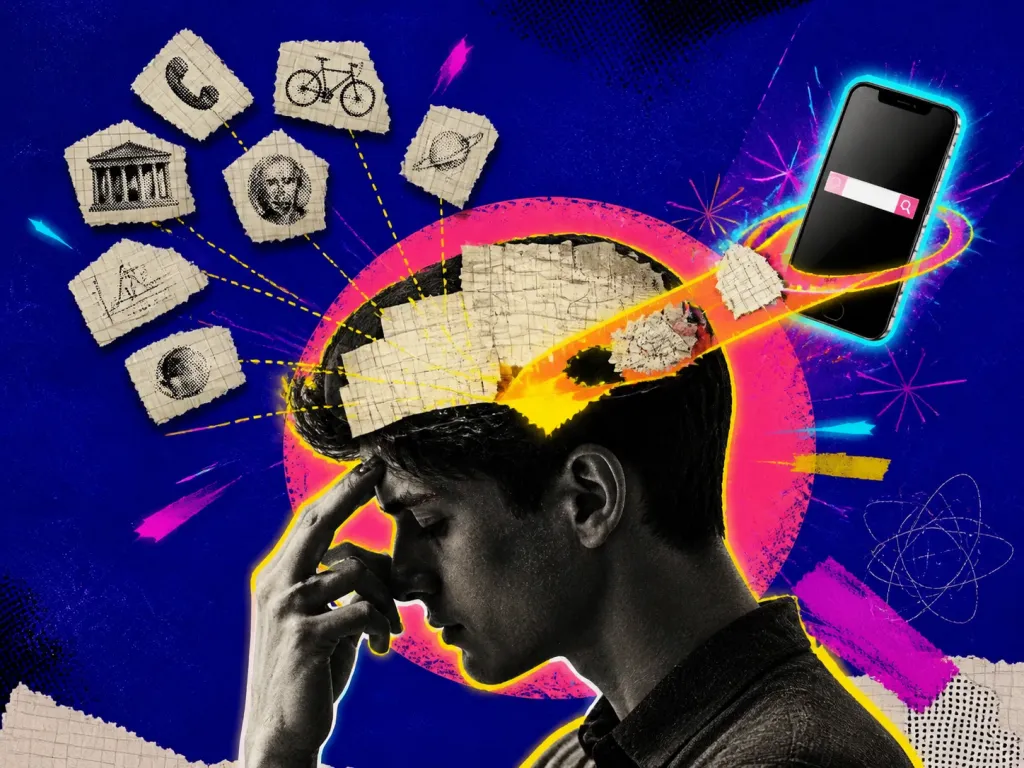
Can you remember your door code but not your friend’s phone number? That’s Google Effect – the tendency to forget information when you know it can be easily found online.
Examples and situations
- Studying & work – instead of memorizing facts, people rely on search engines.
- Skills & knowledge – we remember where to find information, not the information itself.
- Critical thinking – we trust search results without verifying accuracy.
Questions to check
- Train your memory – practice remembering key facts, not just how to find them.
- Filter your sources – not everything online is true.
- Use meaningful learning – connect information to real-life situations to retain it better.
Long-form guide
The Google Effect: Why We Forget What We Can Look Up (And Remember What Matters)
I once forgot my cousin’s kid’s name in front of his entire birthday party. I remembered the cake flavor, the balloon color, and the exact time the pizza was late—but not his name. My brain knew I could check WhatsApp later, so it didn’t bother saving the detail. I smiled, deflected, and hated the hollow feeling: if a name can slip because it’s “online somewhere,” what else is falling through?
On this page
What Is the Google Effect and Why It Matters
The Google Effect is our habit of forgetting information we can easily look up online. When answers sit a tap away, our brains offload the need to store them internally. It’s efficient—until it isn’t. The Google Effect is the tendency to remember where to find information rather than the information itself. Psychologists first documented it as “digital amnesia” or “transactive memory with the internet.” When you expect to access something later, your brain saves the location and drops the content (Sparrow et al., 2011). The internet becomes a partner in your memory system, like a roommate who remembers where the toolbox lives.
Why it matters: It changes what you choose to memorize. You store fewer facts and more pointers; You become fast at retrieval—but only if access is available and stable; You risk fragile expertise, especially under pressure, offline, or when search gives bad answers; In teams, you may assume “someone knows this” and end up with knowledge gaps. This isn’t a moral failing. It’s an adaptation. But like all adaptations, it comes with trade-offs. In emergencies, in interviews, in low-connectivity environments, or when subtle judgment matters, you want knowledge inside your head, not across a chasm of Wi‑Fi.
What the research says (only the bits you need)
Expectation of access reduces memory for the facts themselves but increases memory for where to find them (Sparrow et al., 2011); After searching online, people show lower recall for information they just looked up, and they become more likely to search again rather than attempt retrieval (Storm et al., 2016); Easy access to explanations via the internet can inflate confidence; we confuse the web’s knowledge with our own (Fisher et al.
, 2015); Offloading is not inherently bad—it’s a strategic use of limited cognitive resources (Risko & Gilbert, 2016); Retrieval practice and spaced repetition dramatically improve durable learning; they beat passive review and re-reading (Karpicke & Roediger, 2008; Cepeda et al., 2006); We often think we understand things until we try to explain them from memory—the “illusion of explanatory depth” (Rozenblit & Keil, 2002). Keep those in your back pocket. We’ll use them.
The developer who googled her way into a corner
Let’s walk through a handful of lived scenes. No lab coats. Just situations that sting or save you. Maya ships features fast. She’s a top-10% engineer—until the site breaks at 2 a.m. The error looks familiar. She searches, patches, redeploys. It fails. She searches again. Her speed becomes a loop: search → paste → tweak → hope. At sunrise, a colleague arrives, glances at the failing service, and points: “It’s a stale token. Rotate it.” She does. It works.
Maya had fluency with solutions but not with the architecture. Her mental model was thin. The Google Effect didn’t make her lazy; it made her fast at skimming. But under pressure, speed without structure collapses. How she later fixed it: she drew a 1‑page map of the system—what talks to what—and practiced “offline drills” weekly: no search, only docs she had saved. The drills hurt. They rebuilt structure.
The student who “learned” by collecting tabs
During a shift, a patient’s oxygen saturation unexpectedly drops. The internet exists. So do laminated cheat sheets, and her head. The nurse runs the airway algorithm from memory while a colleague preps equipment. Later, she looks up the latest guideline updates and logs them in the unit’s quick-reference binder. She offloads, but she offloads in order. “Core saves first; references later.” The distinction matters: would you want a pilot googling landing steps? Ben studies psychology. He reads summaries of every major theory. His notes are clean. He feels informed. In the exam, prompts bend slightly. He recognizes the topic, but can’t pull the details without context. Recognition is not recall.
He retools: flashcards that force retrieval (“Define the spacing effect with an example”), weekly 10‑minute oral explanations to a friend, and a cap of three lookups per study hour. A month later, he remembers, unprompted.
The traveler who thought “maps are always online”
Elena notices that every draft session dissolves into font rabbit holes. She blocks search for the first 25 minutes of each design sprint. She sketches with constraints and writes notes in the margin—“Check this later.” When the timer dings, she batch-lookups the list. Her work improves because she protects the idea phase from the gravity well of endless reference.
Sam arrives in a rural area after sunset. His phone shows one bar. He planned to “just google directions.” He loses an hour, burns fuel, and misses his host. Next trip, he downloads offline maps and prints key addresses. He doesn’t become a Luddite. He becomes prepared.
The manager who assumes “the team knows”
Ana leads a product team. She expects that the metrics definition lives in the data wiki. It doesn’t. Each analyst calculates “active user” differently. They keep shipping. Targets look good, then bad, then good. The team feels gaslit by their own dashboards.
They switch to a “source of truth” doc with owner names and timestamps, review it in standups, and practice explaining definitions without the doc open. It’s boring. It ends the chaos. These stories share a pattern: search works best when you use it deliberately, not reflexively. The difference is small—seconds of pause, a little friction, a plan—but the outcome stack is big.
Spot the signs in yourself
You don’t need to delete your browser. You need to choose what lives inside your head and what lives in your tools. Here’s how. You feel you “know” a topic until someone asks you to explain it without notes;
You open a search tab reflexively at the first speed bump, even for things you’ve seen many times; You can’t reconstruct the reasoning behind a solution you copy-pasted last week; Without Wi‑Fi, you feel a little cognitively naked; You confuse bookmarking with learning. If you nodded, good. Awareness is leverage.
Decide what to memorize vs. what to reference
Not everything deserves brain real estate. Select your “core.” Ask: Is this needed under pressure or offline? If yes, memorize; Is this a concept that supports many downstream decisions? If yes, memorize; Is this a detail that changes often or is easily derived? If yes, reference. Examples of “core keeps”: emergency protocols, mental checklists, mental models of your system, foundational definitions, second languages’ core grammar, keyboard shortcuts you use daily, phone numbers of two family members.
Examples of “reference keeps”: API syntax you use monthly, rarely used configuration flags, trivia, restaurant addresses. Think “cache vs. disk.” You cannot cache the internet. You can cache what makes you competent when everything else wobbles.
Build retrieval strength on purpose
Retrieval practice: Study by recalling, not re-reading. Close the tab. Write from memory. Check. Repeat. Ten minutes of struggle beats thirty minutes of skimming (Karpicke & Roediger, 2008); Spaced repetition: Use a flashcard app (Anki, Remnote) or paper. Schedule reviews. This converts fragile memories into durable ones with less total time (Cepeda et al., 2006); Teach-back: Explain a concept out loud to a colleague or rubber duck.
If you can’t explain it simply, you don’t own it yet; One-pagers: Summarize a topic on one sheet, by hand if possible. Limit forces clarity; “No-search sprints”: Work in 20–30 minute blocks where search is off. Keep a “check later” list; Offline drills: Simulate constraints. Run through a scenario with no network. Practice from saved docs.
Build a personal knowledge system you actually use
Your fingers learn habits. Change the environment to change the habit. Set a “search budget.” Allow three lookups per hour. Park the rest on a list; Delay lookups by 90 seconds. Use the time to attempt recall or reason it out; Make your own cheatsheets. If you must look, look at your notes first; Save canonical resources locally. Download docs you reference often; Use site-specific search. Reduce wandering. “site:docs.python.org list comprehension”. Friction should nudge, not punish. Aim for helpful resistance. You don’t need a thousand tags. You need a few reliable buckets that lower the cost of staying sharp.
“Core Memory” notebook/folder: things you commit to learn by heart (with a spaced-repetition deck); “How I Work” guide: your process, checklists, and default setups. Update weekly; “Decision Logs”: short writeups of decisions and why. When future-you forgets, past-you is there; “Grab Bag” of code snippets/phrases/templates you reuse often, with clear headings; “One-Pagers” library: compressed explanations you can review quickly before a task. Your brain is not your only memory. But your tools should be yours, not just Google’s.
Calibrate your confidence
Batch your lookups. Work, then search. Don’t ping-pong; Use a separate device for reference material when possible. Keep your work screen stable; Default to full-screen or distraction-free apps during core work; Create “Later” containers: Notes inbox, bookmarks inbox, a text doc called “Look Up Later—Today.” Clear it daily. The goal isn’t monkhood. It’s keeping your working memory clear enough to think. The web makes answers feel close. That warmth can trick you into thinking knowledge is yours.
Do cold recall checks: Can you produce the algorithm/definition/explanation with a blank page?; Do cross-context checks: Can you use the knowledge in a new scenario?; Teach others: Public failure is harsh feedback—and golden; Use “confidence logging”: After tasks, note what felt shaky. Practice that. If it only lives in a tab, it doesn’t live in you. You don’t need perfection. You need momentum.
Cognitive offloading: Google Effect
The Google Effect is part of a bigger family. It overlaps; it isn’t the same as everything in the neighborhood. Originally about how groups split memory tasks—“You remember birthdays, I remember tools” (Wegner, 1985/1991). The internet acts like a giant transactive partner. Helpful, until the partner isn’t around or gives you wrong info. The fix: keep a healthy core; keep track of who/what you trust.
Using the environment to reduce mental load: lists, calculators, GPS (Risko & Gilbert, 2016). Offloading is smart when the cost of storing exceeds the benefit. It’s risky when offloading erodes skills you actually need under pressure. Offload the right things.
Automation complacency: Google Effect
You think you understand how a zipper works—until you try to explain it (Rozenblit & Keil, 2002). The internet amplifies the illusion. Quick access to clean explanations makes it feel like the knowledge is absorbed. It isn’t. Force explanation from memory. Too many inputs, not enough processing.
Here, the problem isn’t forgetting because of access; it’s drowning because of volume. The remedy overlaps: selective attention, batching, capturing and later deciding. Over-trusting automated systems and losing the ability to intervene. Similar vibe: reliance dulls skill. The fix is drills and continued practice in manual modes.
For students: Google Effect
Forgetting a phone number isn’t new. But forgetting because your brain decides “I can get it later—that’s safe” is new at scale. Don’t beat yourself up. Use the insight. Let’s weld the techniques into real workflows. Before reading, write three questions you expect the chapter to answer. After reading, answer from memory; Close the laptop for 15 minutes and outline the topic by hand.
Only then check details; Turn notes into Q&A flashcards. Example: “Spacing effect—define in a sentence; give a real-life schedule example.” Make 30-minute no-search blocks when practicing problems. If stuck, write your best guess, then consult; Before exams, do five-minute “teach-backs” to a friend or your phone recorder. If you ramble, you don’t know it yet.
For designers and writers
Maintain architecture one-pagers: data flow, auth, where errors usually originate. Review monthly; Run “brownout drills”: turn off Stack Overflow for an hour; rely on local docs and your notes. Log what you missed; Keep a “common errors” cookbook with fixes you actually understand. Paste-and-pray solutions don’t make the cut; Add friction: allow three lookups per hour; queue the rest in a scratchpad; Pair program explanations. Narrate your reasoning before you search.
Define your constraints before you hunt references. Sketch or outline first, lookup later; Build a “style one-pager” per project (voice, palette, patterns). It becomes your reference instead of the entire internet; Do “reference fasts”: first draft without moodboards. Second draft—with them; Keep a bank of your own examples and patterns. It shrinks your search space.
For everyday life
Define “source of truth” docs with owners. Review in rituals. Ask random team members to explain key metrics without peeking; Rotate “offline demo days”: pitch or run a small feature with the network off. Find brittle spots; Codify decisions and assumptions. If your team forgets, it’s not just memory; it’s process; Encourage office hours for teach-backs. Learning spreads; over-reliance on one person shrinks.
Memorize lifelines: two phone numbers, address, meds, allergies, a safe meeting spot with family; Print or save offline copies of essentials before trips: tickets, maps, contact info; Use a weekly “Memory Monday”: review a few core items (names, phrases in a new language, keyboard shortcuts); Practice analog: write a few key items without opening your notes app. You’re not fighting the internet. You’re carving your brain’s role in a world soaked with information.
Wrap-Up: Keep the Fire, Use the Wire
We live in an age that puts the Library of Alexandria in our pocket. That’s incredible. It’s also seductive. When the wire is always there, the fire inside—your internal knowledge, your judgment under pressure—can dim. The Google Effect isn’t a villain. It’s a whisper: “Don’t bother, I’ll hold that for you.”
And sometimes, that’s right. But sometimes, you need the number, the protocol, the reason why—now, with no signal and no stall. Pick your core. Practice retrieval. Add friendly friction. Build a second brain that’s yours, not rented from a search box. You’ll move slower for a few days and faster for years.
References cited by the original article
Sparrow, B., Liu, J., & Wegner, D. (2011). Google effects on memory: Cognitive consequences of having information at our fingertips; Storm, B., Stone, S., & Benjamin, A. (2016). Using the internet to access information inflates future use of the internet to access information; Fisher, M., Goddu, M., & Keil, F. (2015). Searching for explanations: How the internet inflates estimates of internal knowledge;
Risko, E., & Gilbert, S. (2016). Cognitive offloading; Rozenblit, L., & Keil, F. (2002). The misunderstood limits of folk science: An illusion of explanatory depth; Karpicke, J., & Roediger, H. (2008). The critical importance of retrieval for learning; Cepeda, N., et al. (2006). Distributed practice in verbal recall tasks: A review and quantitative synthesis.
Decision checklist
- I can explain this week’s key concepts without notes
- I did at least two no-search sprints (20–30 minutes each)
- I made or updated one one-pager
- I added five cards to my spaced-repetition deck and reviewed my queue
- I downloaded/organized one resource for offline use
- I batched lookups instead of grazing
- I practiced one offline drill relevant to my work or life
- I revisited a decision log and checked if the reasoning still holds
- I removed one needless dependency on a search habit
- Decide your “core keeps” for the month (5–10 items). Write them down
- Schedule two 25-minute no-search sprints per week
- Create one one-pager for a concept you’ll use soon